ListLens journal · Photography
Product photography for jewelry & small objects: a tabletop setup
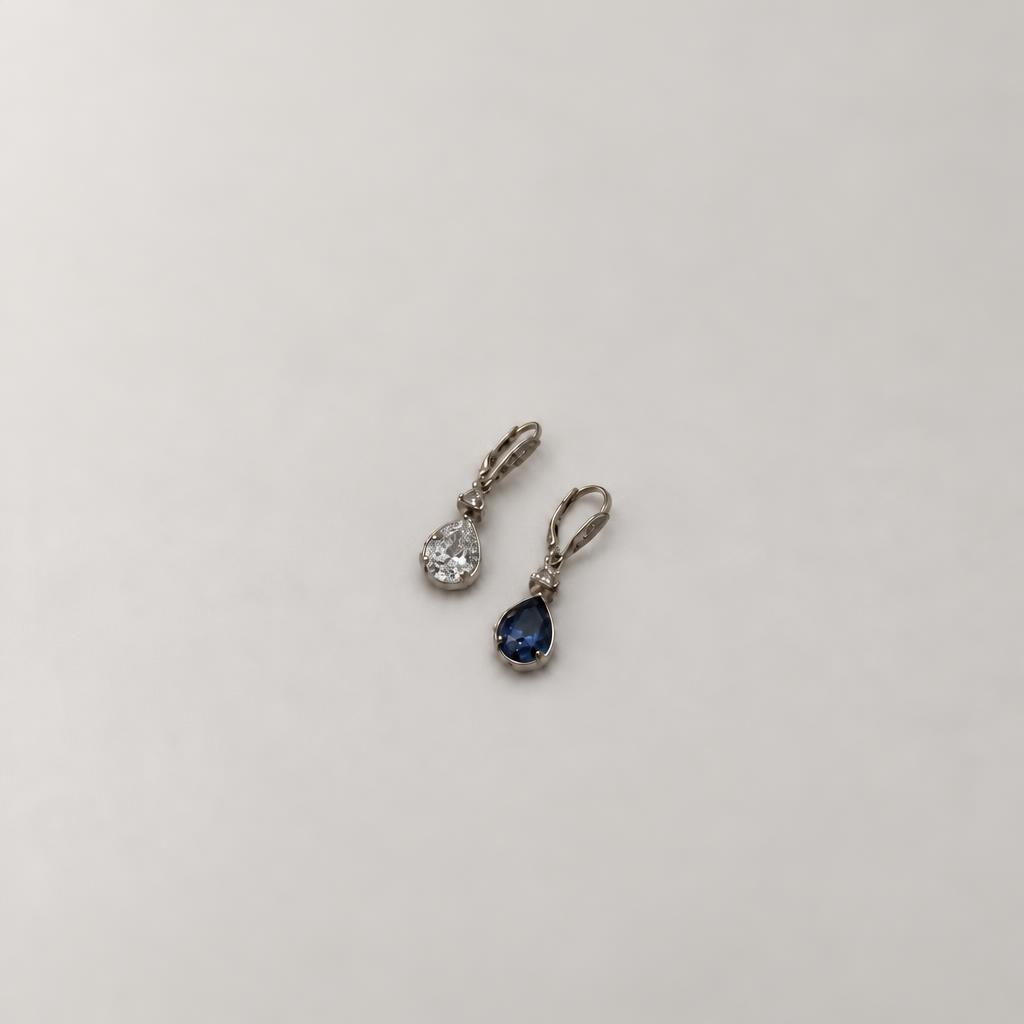
Product photography for jewelry & small objects comes down to showing tiny details without giving the wrong impression of size or finish. A busy background can swallow a charm; getting too close can leave an earring out of focus. This tabletop setup gives you a starting point you can use again for the next piece. ListLens can help with jewellery staging and exports once you have a clear source photo.
By ListLens ·
Why small objects need their own approach
With a piece only a few centimetres wide, even a slight camera movement can spoil the detail. A textured background can take over the picture just as easily. Buyers need to see what the item is made of and how it's put together, not just admire the scene. Keep your tabletop setup consistent so you can compare pieces across the collection and spot missing views before uploading.
The same capture principles help with charms, cufflinks and miniature accessories. ListLens is designed for jewellery, however; do not assume that its jewellery presets will preserve every type of unrelated small object.
Make a small, repeatable shooting station
Choose a stable table near indirect window light. Place a plain, matte background behind and beneath the product, curving a sheet of paper if you want to avoid a hard corner line. Keep the immediate surroundings neutral because bright colours can reflect into polished metal. Secure the phone on a stand and use the timer to avoid movement when pressing the shutter.
Mark the phone stand and product positions so the next item starts in the same place. Position a white card on the darker side if necessary, then check the actual result rather than adding more lights automatically. Our at-home photography guide covers simple lighting preparation.
Find the distance where details stay sharp
Getting closer doesn't always give you more detail. Your phone can only focus within certain distances, so move back until the front edge and the feature you're showing are sharp. Crop modestly if you need to. If there's a macro mode, compare it with the normal camera rather than assuming it's the better choice. Tap the important detail to focus, then open the file at full size to check it.
For deeper objects, shoot extra angles: one picture may not show both the front decoration and the back fastening sharply. Keep the original files. Enlarging a soft image does not recover missing detail, even when an export has a larger pixel size.
Show pairs, proportions and scale honestly
Set paired earrings at the same angle and leave room around both. If the main view hides a post or clasp, give it a photo of its own. Put measured dimensions in the listing and, where appropriate, include a ruler or a clear real-world size reference in a supporting image. A decorative tray won't do that job: buyers don't know how big your tray is.
Avoid arranging a tiny item in a large scene that makes it difficult to inspect. For the specific stone, metal and fastening checks, see our product photography for jewelry detail checklist.
Use staging without losing the object
ListLens lets jewellery sellers explore clean white, velvet, travertine, linen and sand staging, along with lighting and shadow/reflection controls. Use clean backgrounds for inspection and styled scenes for supporting images. A contact shadow—the small dark area where an object meets a surface—can help it feel grounded, but a heavy shadow should not hide a fine chain or earring post.
Compare generated scenes with the original. Look for changed geometry, invented stones, missing loops or a reflection that suggests the wrong shape. Reshoot or use the original when an edit cannot represent the item faithfully. Our jewellery listing workflow explains how to carry one look across a batch.
Finish with a consistent catalogue check
Look at the collection together before you upload it. Similar framing, brightness and apparent scale help buyers compare the pieces rather than the photography. Check the thumbnails too. Leave room for channel-specific crops, and open the final exports to inspect them. A preset alone doesn't guarantee that a marketplace will accept an image.
Start with a ListLens account for 3 free renders with no card required and downloads of your results. Then plans start at $15/month USD for 30 renders. For questions about preparing a collection, ask ListLens support.